
 K Audio Listed in stores as KepvelaAudio
K Audio records, edits and transcribes on your device.
Phone recorders are either too simple to fix a recording, or they upload it to transcribe it. K Audio records, edits, removes noise and transcribes English on the phone itself. On Android it has no internet permission, so lectures, meetings and interviews stay private.
See where to get it See what it never does
The K apps launch together. The store link appears here on launch day.
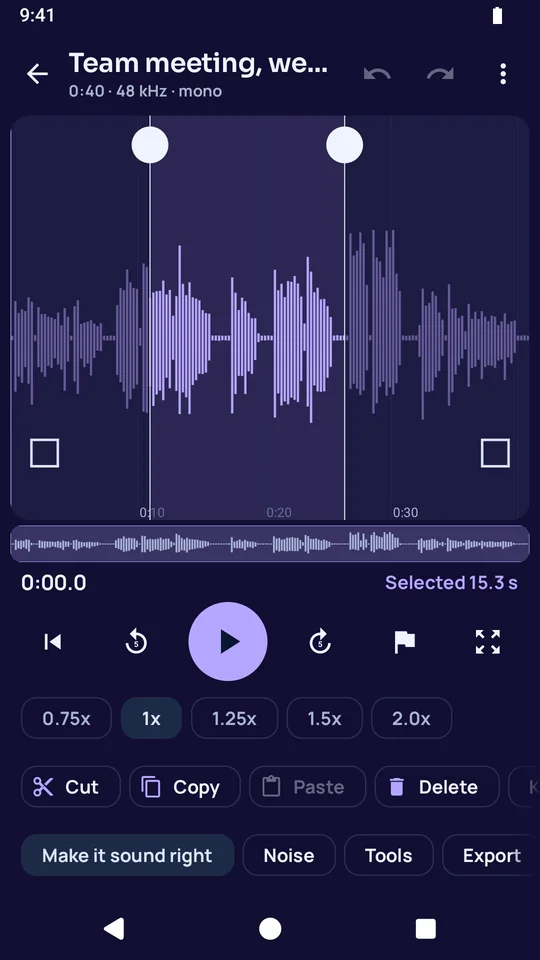
It records and keeps what it records.
- Record with a voice memo setting or a high-quality music setting, with a level meter and markers.
- The recording is written to the phone as it happens, and K Audio recovers it after a crash the next time it starts.
- It does not start recording until you tap Record.
It edits like a desktop editor.
- Select, cut, copy, paste and delete in the waveform, with crossfades at the joins.
- Fade in and fade out with four curve shapes.
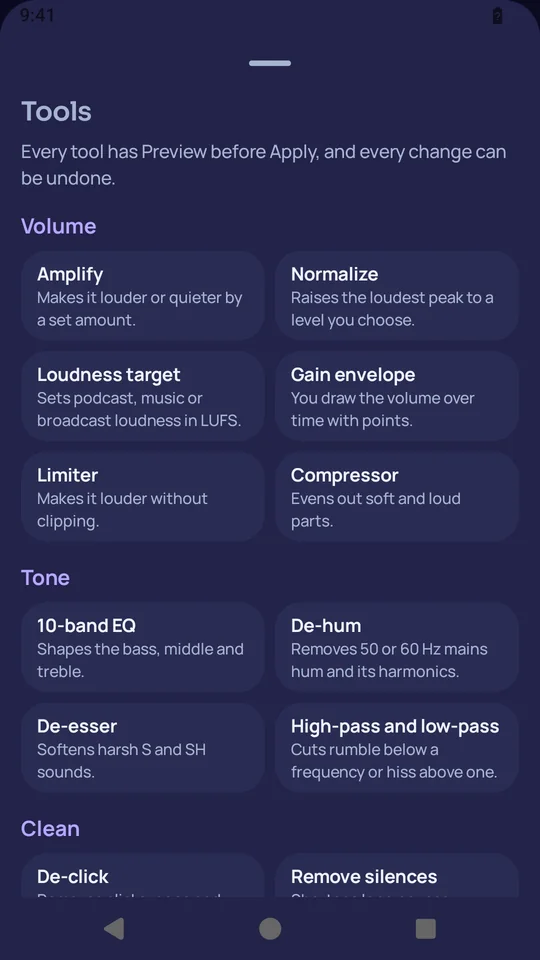
- Set the loudness for a podcast, a voice recording, music or broadcast, and shape the sound with a 10-band equalizer and a compressor.
- Most tools play a preview first, and Undo, Redo and Back to the original are always there.
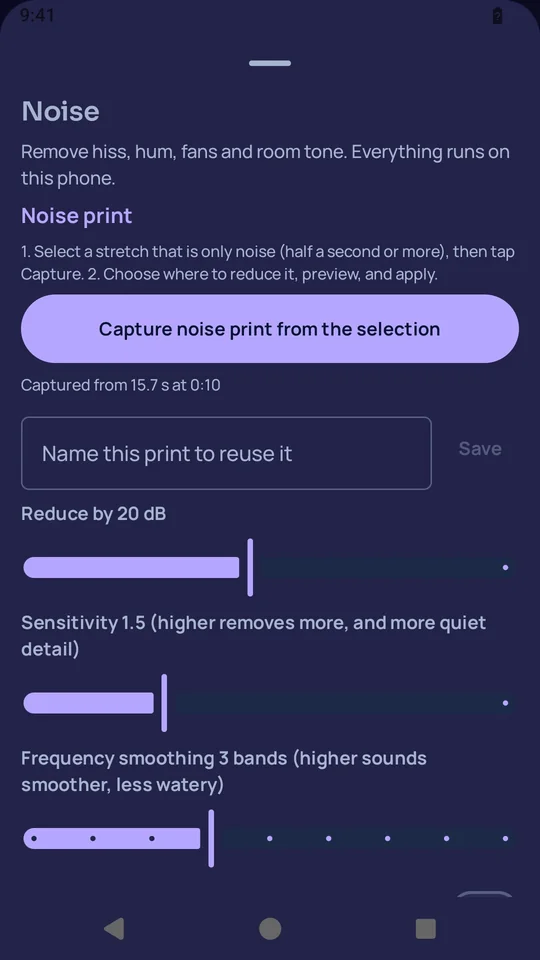
It removes the noise.
- Noise print learns a stretch of background noise and removes that noise from the whole recording, and you hear a preview first.
- AI voice clean-up runs on the device, with a before and an after, Undo and Keep.
It transcribes English on the device.
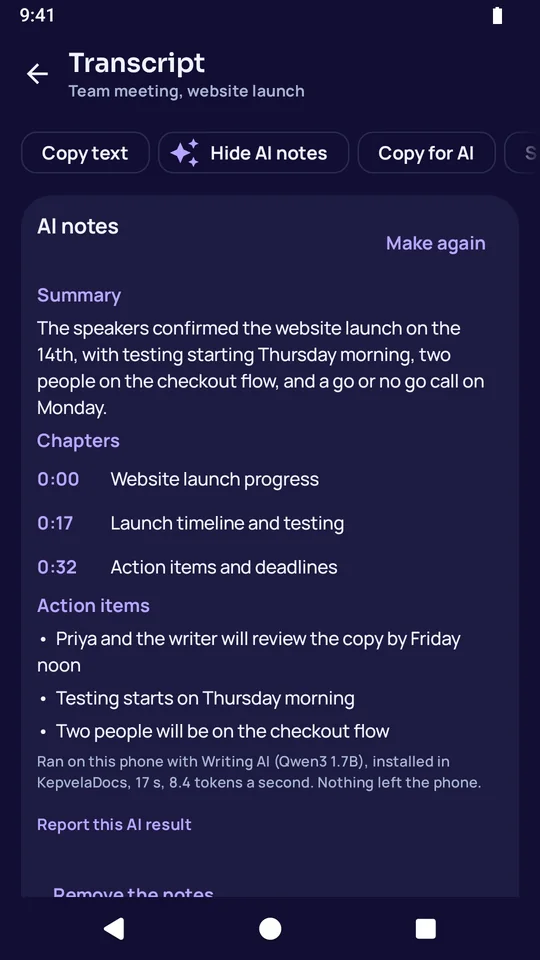
- The transcript carries a time on every line, and a tap on a line plays it.
- Copy, save or share the text as plain text or Markdown.
- With the optional Writing pack, AI notes add a summary, chapters and action items made only from what was said.
It gets the sound out in the format you need.
- Pull the sound out of a video.
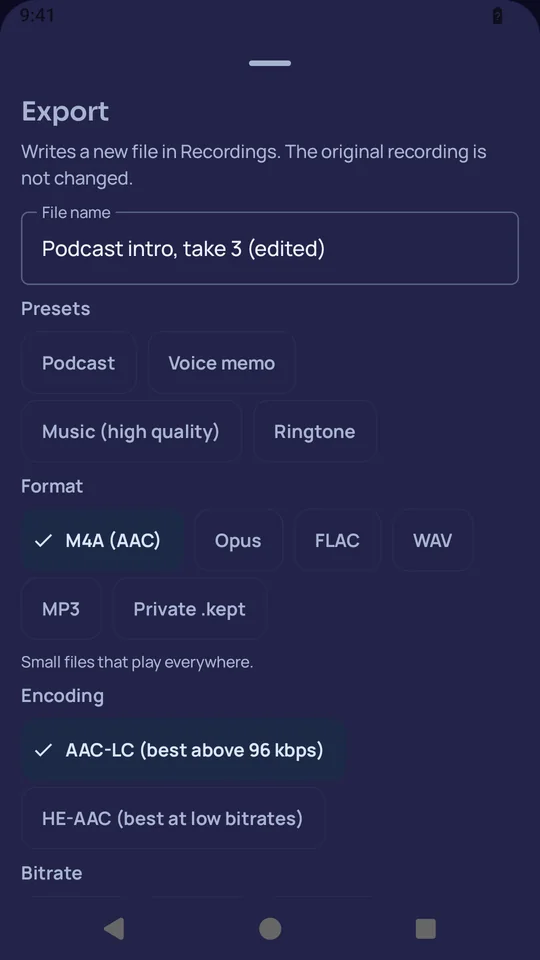
- Export as M4A, FLAC, Opus or WAV, with your choice of sample rate, channels, tags and cover art.
- On Android, set a recording as your ringtone.
- A .kept file seals a recording into a private copy that only you can open.
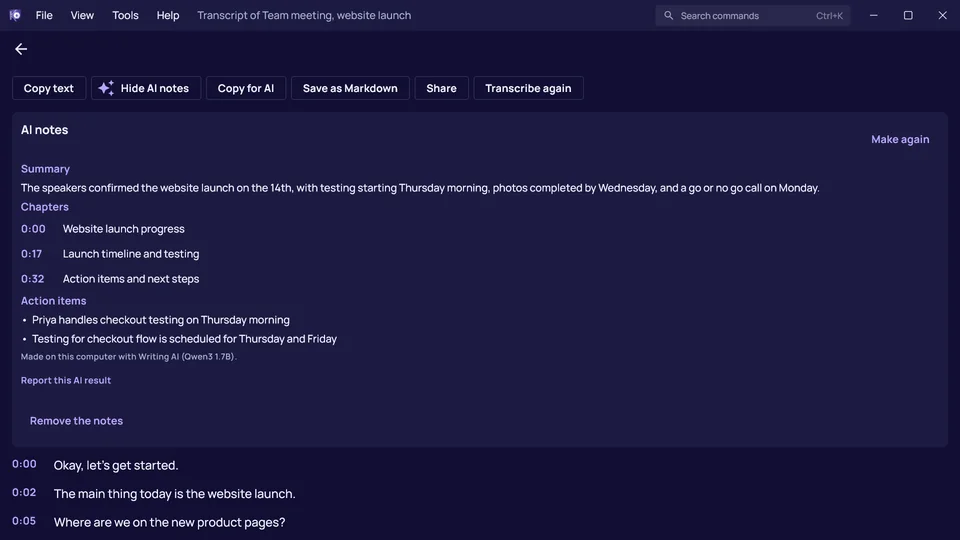
This is K Audio on a Windows computer.
It works on the same files in the same way.
These are the things K Audio never does.
- It has no internet permission on Android, so the phone blocks it from making any connection.
- It has no account and no sign-in.
- It shows no ads and carries no tracking or analytics code.
- It does not upload a recording to transcribe it. Transcription runs on the device.
- It does not record until you tap Record, and a notification shows while it does.
K Audio launches with the rest of the K apps.
Every K app arrives on the same day. The store link appears on this page on launch day.
These are the complaints K Audio answers.
- Recorder apps upload your meetings to transcribe them.
- K Audio transcribes English on the device.
- A phone recorder cannot fix a noisy recording.
- K Audio removes the noise and evens out the loudness.
Here is what is free, and what the purchase adds.
K Audio is free to download, with no ads. You buy it once and keep it for good.
Free, with no time limit
- Recording and playback are free.
- Sharing, renaming and deleting with Undo are free.
- Opening a .kept file is always free.
With the trial and the purchase
- Editing, the sound tools, noise removal, transcription and AI notes are free to try for 30 days.
- After the trial they give you 5 finished results a month, and the purchase removes that limit.
AI on the device
- English transcription and AI voice clean-up are built in and run on the device.
- AI notes use the optional Writing pack. On Android, K Audio uses the pack installed through K Docs.
- AI notes are made from the transcript, so check them against it before you rely on them.
File formats
- It opens M4A, WAV, MP3, AAC, OGG, Opus, FLAC, 3GP and AMR audio, and the sound of MP4 and WebM video.
- It saves M4A, FLAC, Opus and WAV audio, transcripts as plain text or Markdown, and .kept copies.