 K Docs Listed in stores as KepvelaDocs
K Docs reads your documents and tidies what AI apps write.
You paste an answer from ChatGPT, Claude, Gemini or Grok into Word, and it fills with ** and ### marks. Tables arrive as rows of | pipes. A .md file you downloaded says that no app can open it. K Docs fixes each of these on your phone, and on Android it has no internet permission.
See where to get it See what it never does
The K apps launch together. The store link appears here on launch day.
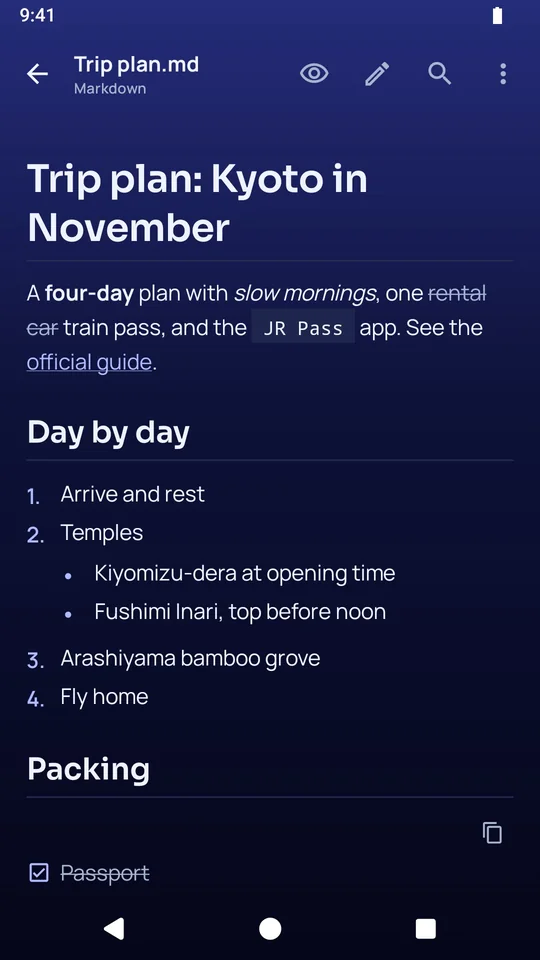
It opens the documents other apps cannot.
- Markdown opens fully formatted, and its marks are one tap away.
- It also opens Word files (.docx and .doc), PDFs, plain text, CSV tables, code and logs.
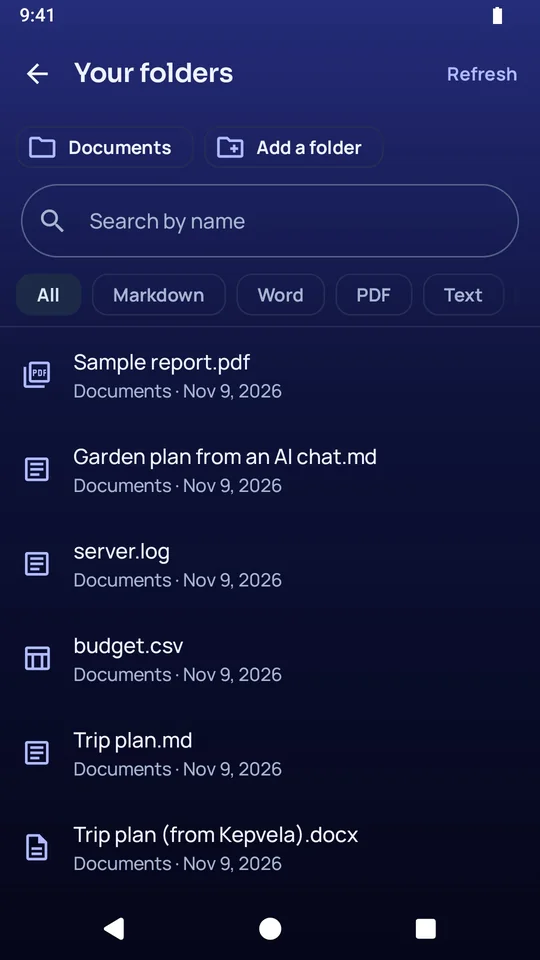
- It opens a file from any other app, or lists every document in the folders you choose, newest first, with search and filters.
- Find searches inside the open document.
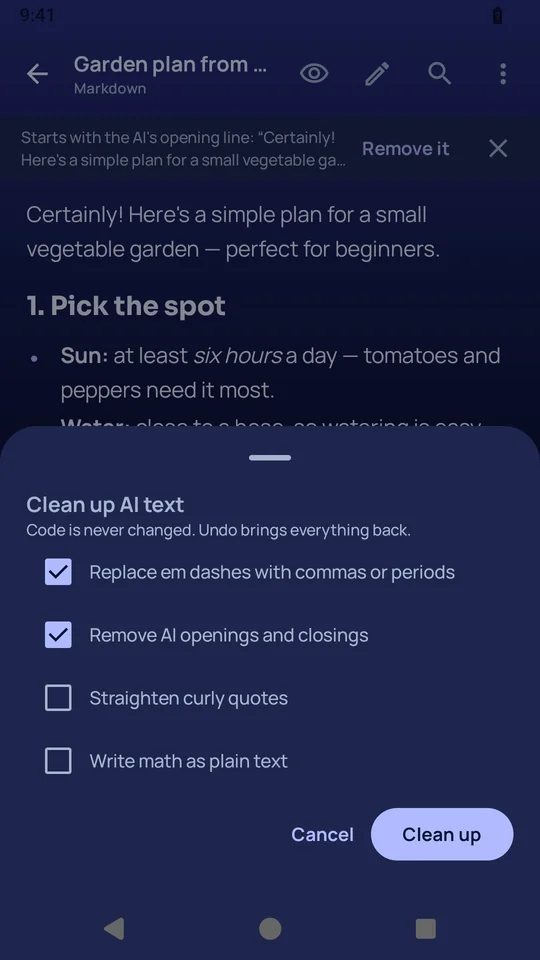
It cleans up what an AI app wrote.
- Clean up AI text removes the stock openings and closings, the em dashes and the curly quotes. It can run by itself on paste, and Undo brings everything back.
- Copy for Word and Docs pastes real headings, lists and tables, with no gray shading.
- Copy a table pastes real cells into Word, Docs and Sheets.
- Paste an AI answer keeps it as a document with a title and a date.
It gets your files ready for an AI app, and keeps private details out.
- Copy as Markdown for AI turns a PDF or a Word file into clean paragraphs and real tables.
- Prepare context gathers up to 20 files, cleans them, adds your prompt and shows the size before you send it.
- Hide private details takes emails, phone numbers, addresses, card numbers and the names you add out of the text before it leaves.
- Put details back restores them in the AI's answer.
- The detection can miss things, so K Docs shows you the text to check before you send it.
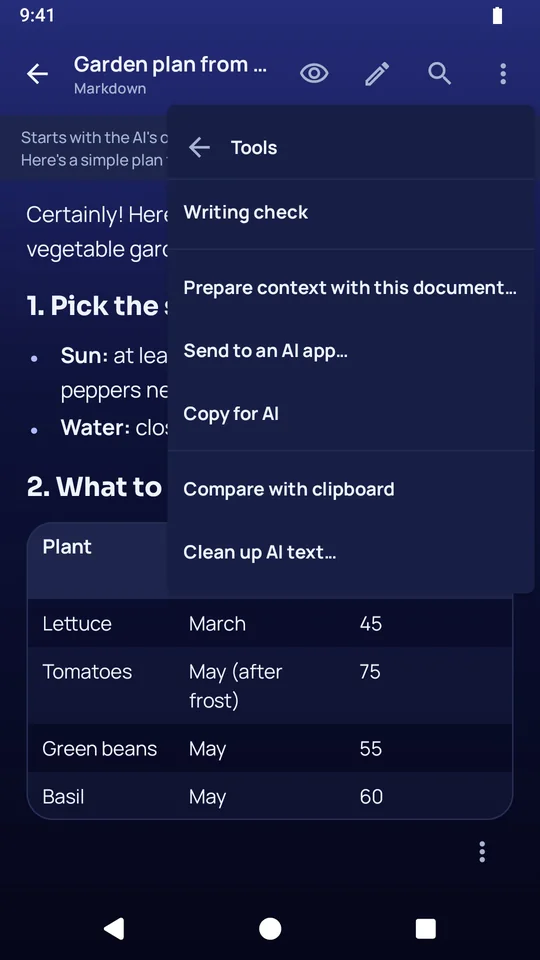
It checks and compares your writing on the device.
- Writing check looks at grammar, punctuation and spelling, in American or British English.
- With the optional Writing pack it proofreads, rewrites and summarizes, and it answers questions about a document and shows the passages it used.
- Compare shows two versions word by word, and you choose which wording to keep.
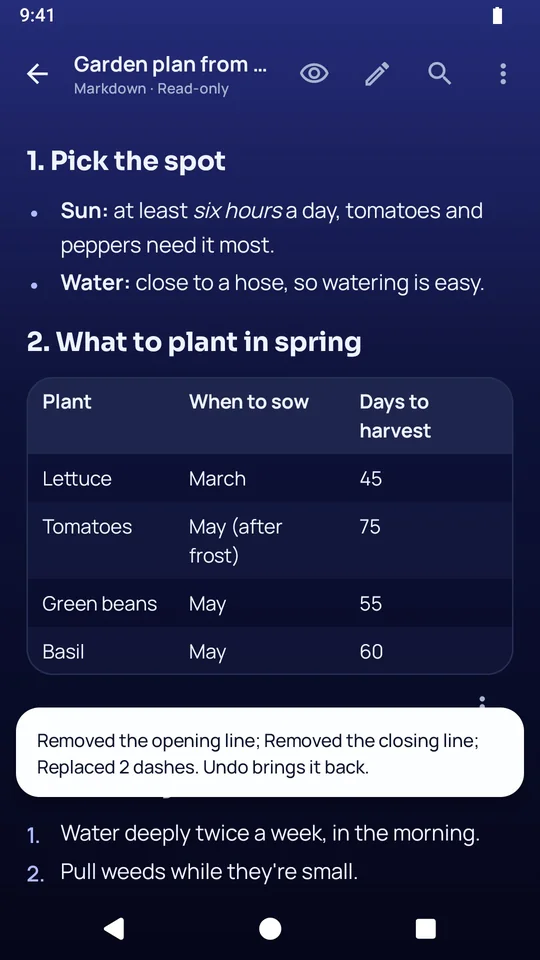
It edits and converts, and it keeps a private copy when you want one.
- The Markdown editor has live styling, formatting buttons, undo and redo, and a grid for tables.
- Save as Word, PDF, Markdown, a web page or plain text.
- A .kept file seals a document into a private copy that only you can open.
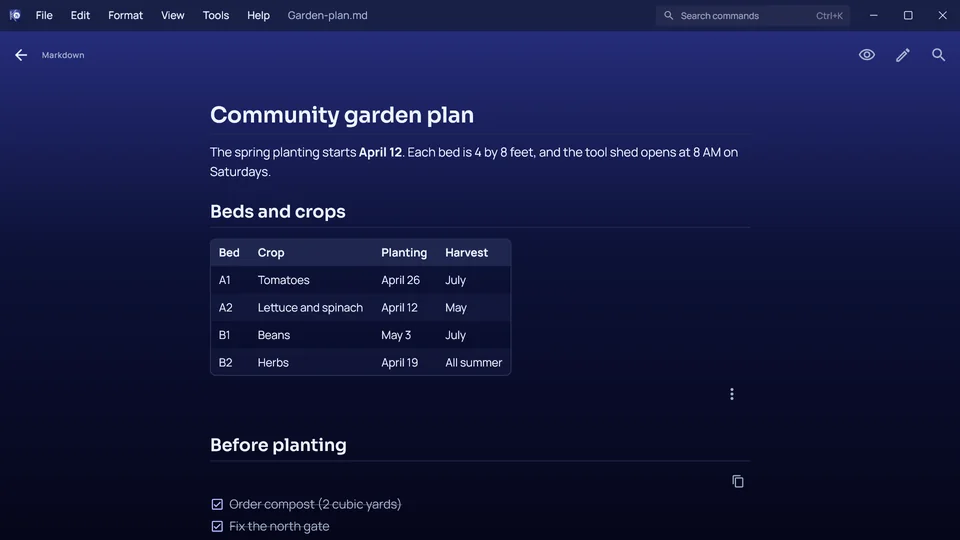
This is K Docs on a Windows computer.
It works on the same files in the same way.
These are the things K Docs never does.
- It has no internet permission on Android, so the phone blocks it from making any connection.
- It has no account and no sign-in.
- It shows no ads and carries no tracking or analytics code.
- It does not send your document to an AI service. You choose when to copy or share text, and where it goes.
- It does not run scripts or load anything from the network when it shows a web page file on Android.
K Docs launches with the rest of the K apps.
Every K app arrives on the same day. The store link appears on this page on launch day.
These are the complaints K Docs answers.
- An AI answer pasted into Word fills with ** and ### marks.
- Copy for Word and Docs pastes real headings and lists.
- AI tables paste as rows of | pipes.
- Copy a table pastes real cells.
- Copying from a PDF into an AI app breaks every line.
- Copy as Markdown for AI gives clean paragraphs and tables.
- A downloaded .md file has no app to open it.
- K Docs opens Markdown formatted.
Here is what is free, and what the purchase adds.
K Docs is free to download, with no ads. You buy it once and keep it for good.
Free, with no time limit
- Opening and reading Markdown, Word and PDF files is free.
- Browsing your folders, search and Find are free.
- Sharing a document and deleting with Undo are free.
- Opening a .kept file is always free.
With the trial and the purchase
- Editing, converting between formats, the copy and clean-up tools for AI text, Prepare context and the writing help are free to try for 30 days.
- After the trial they give you 5 finished results a month, and the purchase removes that limit.
AI on the device
- Writing check is built into the app.
- Proofreading, rewriting, summaries and questions about a document use the optional Writing pack, which runs on the device.
- On Android, one installed Writing pack also serves K Scan and K Audio.
File formats
- It opens Markdown, Word (.docx and .doc), PDF, plain text, CSV, code, logs and web page files.
- It saves Word, PDF, Markdown, web page and plain text files, and .kept copies.