
 K Scan Listed in stores as KepvelaScan
K Scan turns paper into searchable files without an upload.
Most scanner apps want an account, upload your pages to a server and put a watermark on the result. K Scan scans, straightens and reads your pages on the phone itself. On Android it has no internet permission, so your IDs, receipts and contracts stay with you.
See where to get it See what it never does
The K apps launch together. The store link appears here on launch day.
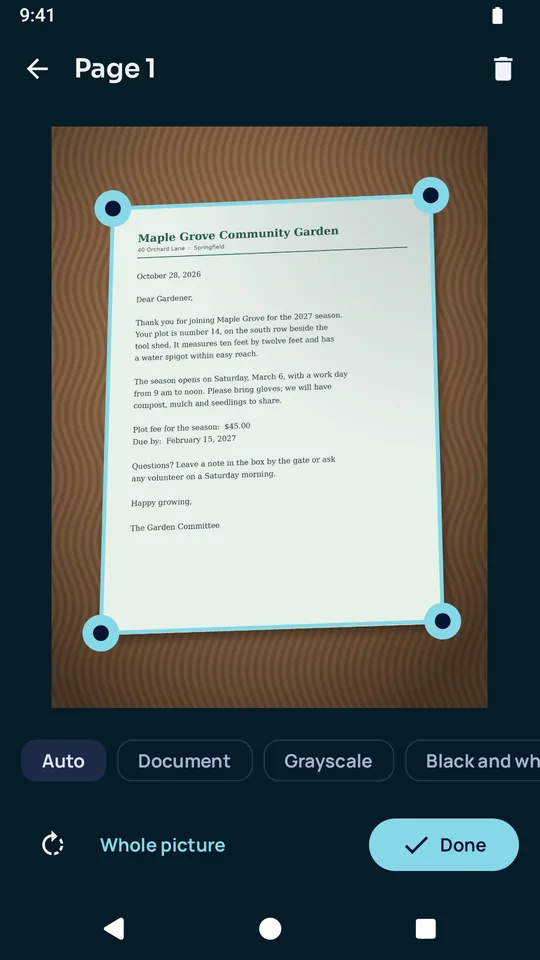
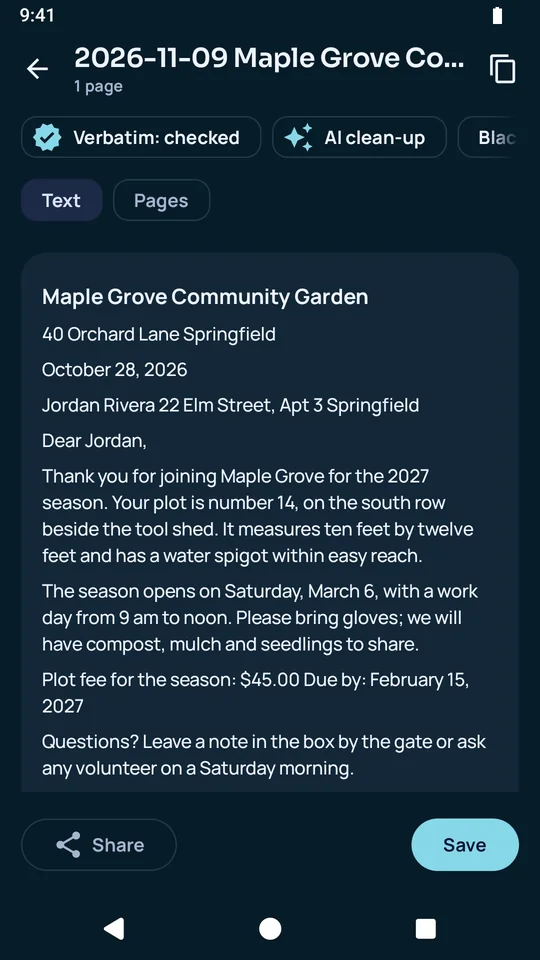
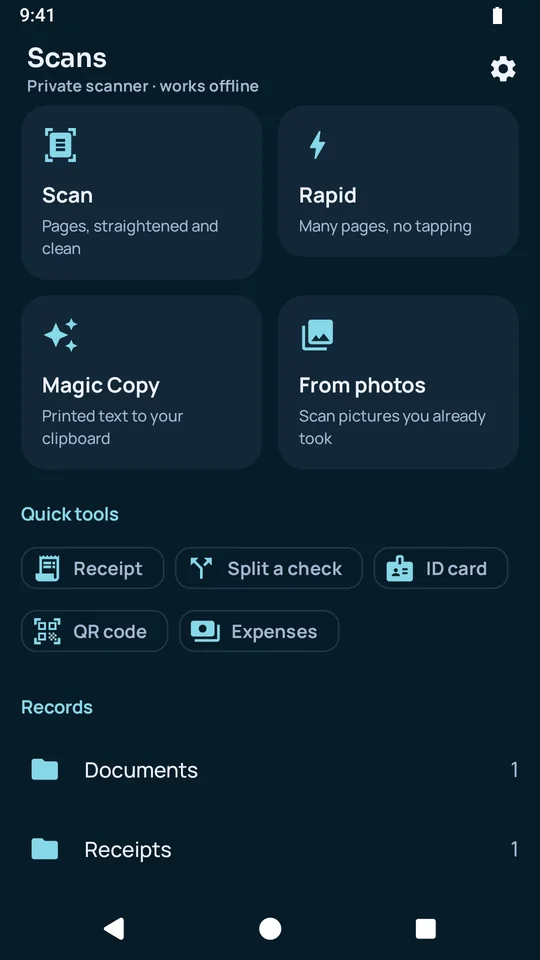
It finds the page and straightens it.
- K Scan finds the edges of the page, straightens it and removes shadows, even from an angle.
- You can adjust the corners, turn pages, change their look and put them in order.
- It scans photos you already took.
- ID card mode puts the front and the back on one page.
It reads the text on the device.
- Text recognition runs on the phone and makes a searchable PDF.
- Copy the text sends what it read to another app.
- With the optional Writing pack, AI clean-up checks the recognized text word for word. You review its fixes, and Undo takes them back.
- It reads QR codes.
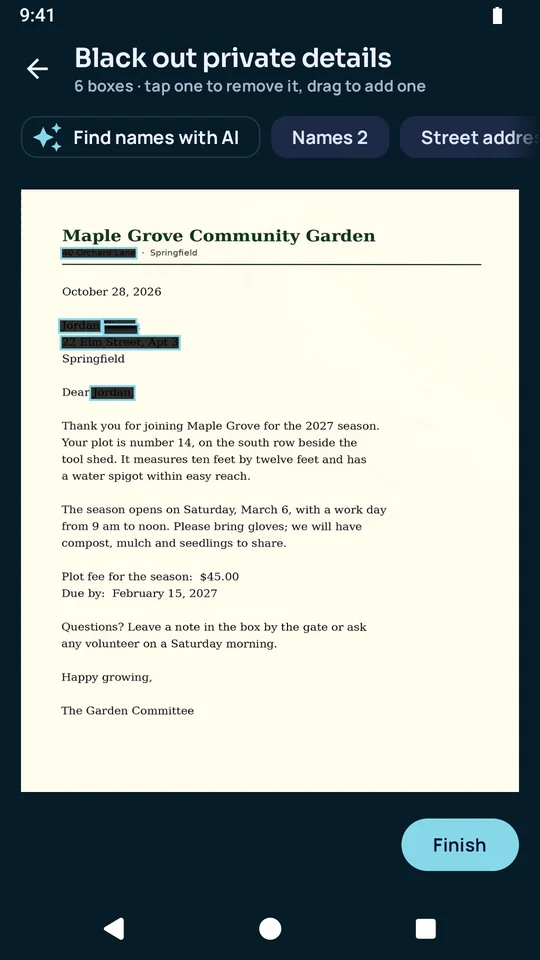
It blacks out private details for good.
- K Scan finds names, addresses, signatures and ID photos, and you add or remove boxes.
- The boxes are burned in, so the hidden text cannot be recovered.
- The detection can miss details, especially handwriting, so K Scan asks you to check the page before you share it.
It keeps receipts and records in order.
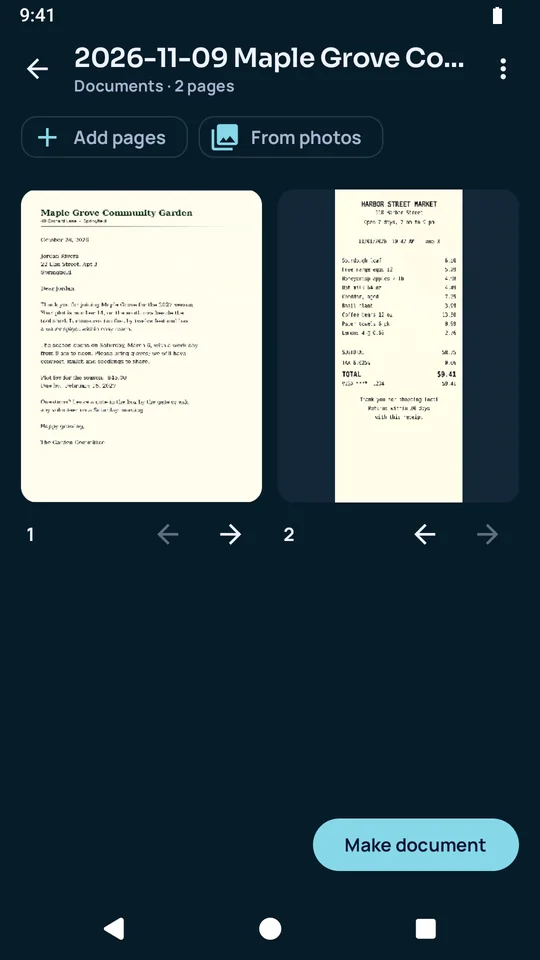
- Folders hold documents, receipts, warranties, medical papers, IDs and more, and each scan is titled from its text.
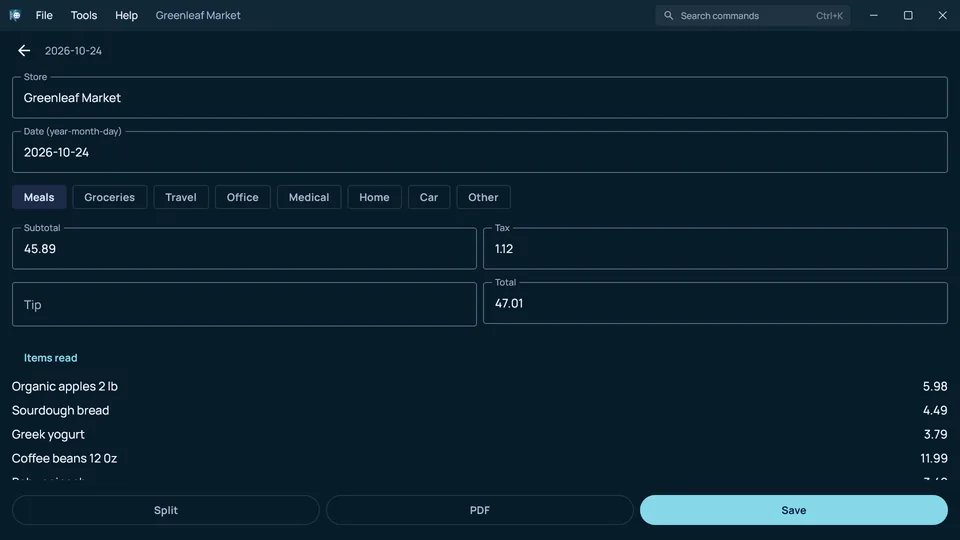
- A receipt's store, date, items and amounts go into an expense list with a total, which you can export as CSV.
It saves the way you need.
- Save a searchable PDF, a text-only PDF, a Word file with the same layout, Markdown, plain text or JPG pictures.
- A plain PDF carries no watermark.
- A .kept file seals a scan into a private copy that only you can open.
This is K Scan on a Windows computer.
It works on the same files in the same way.
These are the things K Scan never does.
- It has no internet permission on Android, so the phone blocks it from making any connection.
- It has no account and no sign-in.
- It shows no ads and carries no tracking or analytics code.
- It does not upload a page to read it. Text recognition runs on the device.
- It does not put a watermark on your PDF.
K Scan launches with the rest of the K apps.
Every K app arrives on the same day. The store link appears on this page on launch day.
These are the complaints K Scan answers.
- Scanner apps upload your IDs and contracts to a server.
- K Scan reads every page on the device.
- Free scanners stamp a watermark on the result.
- K Scan saves a plain PDF with no watermark.
- A black box drawn over text can often be lifted off.
- K Scan burns the boxes in, so the hidden text cannot be recovered.
Here is what is free, and what the purchase adds.
K Scan is free to download, with no ads. You buy it once and keep it for good.
Free, with no time limit
- Finding, straightening and cleaning a page is free.
- Saving a plain PDF with no watermark is free.
- Sharing a scan and deleting with Undo are free.
- Opening a .kept file is always free.
With the trial and the purchase
- Text recognition, blacking out details and the exports of recognized text are free to try for 30 days.
- After the trial they give you 5 finished results a month, and the purchase removes that limit.
AI on the device
- Text recognition and face finding are built in and run on the device.
- AI clean-up and finding names use the optional Writing pack. On Android, K Scan uses the pack installed through K Docs.
File formats
- It scans with the camera and opens photos you already took.
- It saves searchable PDF, text-only PDF, Word, Markdown, plain text, JPG and CSV files, and .kept copies.